How To Check EVG Accident History
Buying a used car or reviewing your own vehicle’s history? One detail you should never skip is the accident record. In the UAE, this information is accessible through official platforms like the Emirates Vehicle Gate (EVG). Knowing how to check EVG accident history helps you avoid hidden damage, costly repairs, and future legal issues. The process is quick, mostly online, and designed for everyday users. In this guide, you’ll learn the exact steps, required details, different methods, and how to read the results correctly so you can make informed decisions with confidence.
What is EVG Accident History?
EVG accident history is a digital record of any reported traffic accidents linked to a specific vehicle. This information is stored within government-connected systems and can be accessed through EVG and related portals.
An EVG accident report typically includes:
This data helps create transparency in the automotive market and ensures that buyers and owners have a clear understanding of a vehicle’s past.
Why Checking EVG Accident History is Important
Before you buy a vehicle, or even for your own records, checking accident history offers several advantages.
In short, a quick EVG check can save you from long-term financial and legal problems.
Information Required to Check EVG Accident History
To perform a successful EVG accident check UAE, you need accurate vehicle details. The system depends on correct inputs to return valid results.
Always double-check your entries. Even a small mistake in the VIN can result in no data or incorrect results.
Check EVG Accident History (Step-by-Step Process)
Performing an EVG accident history check is quick and simple when you follow the correct process. The Emirates Vehicle Gate platform allows you to access vehicle accident records online within minutes. Follow the steps below to check the accident history accurately.
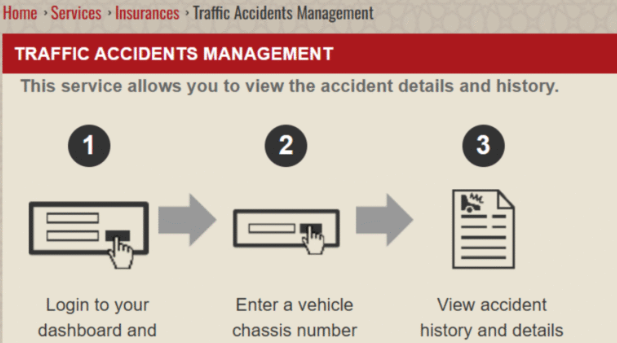
Step 1: Open the EVG Traffic Accident Portal Page
To begin, visit the official Emirates Vehicle Gate website. From there, navigate to the Traffic Accident Management section, which is specifically designed for accident-related inquiries. You can also access the page directly from this URL (https://evg.ae/_layouts/EVG/trafficaccidents.aspx?language=en).
Step 2: Choose Your Search Method
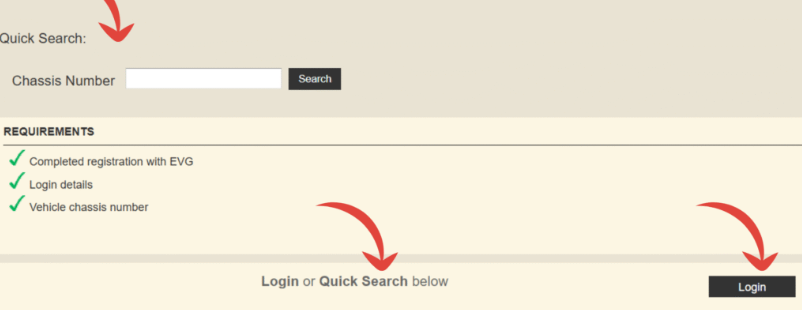
Once you are on the accident inquiry page, you will have two options to proceed:
- Login Method: Sign in using your credentials or UAE Pass to access detailed services
- Quick Search Method: Continue without logging in by using basic vehicle information
For most users, the quick search option is faster and does not require account access.
Step 3: Enter Vehicle Chassis Number
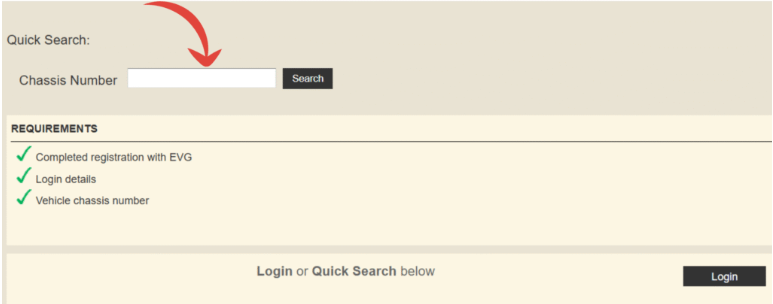
If you choose the quick search option, you will need to enter the vehicle chassis number (VIN) in the provided search field. This number is unique to every vehicle and ensures accurate results.
After entering the chassis number, complete the captcha verification to confirm that you are not a bot. Then click the search button to proceed.
Step 4: Review the Accident History Results
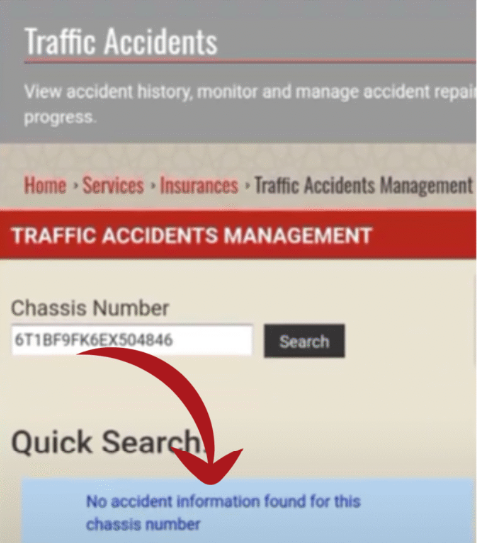
Once your request is submitted, the system will display the accident history associated with the vehicle. The report may include details such as accident records, dates, and related information.
If the system does not find any records, it will clearly show a message indicating that no accident data is available for the entered chassis number. This usually means the vehicle has no registered accident history in the system.
Final Tip
Always double-check the chassis number before submitting your request. Even a small mistake can lead to incorrect or missing results. Using accurate information ensures that your EVG accident history check UAE is reliable and complete.
Common Issues While Checking Accident History
Sometimes users face problems during the process. Understanding these issues can help you resolve them quickly.
If you face issues, try another method or recheck your details.
Tips for Accurate EVG Accident Check
To ensure reliable results, follow these best practices:
Accuracy in input leads to accuracy in results.
Benefits of Checking EVG Accident History
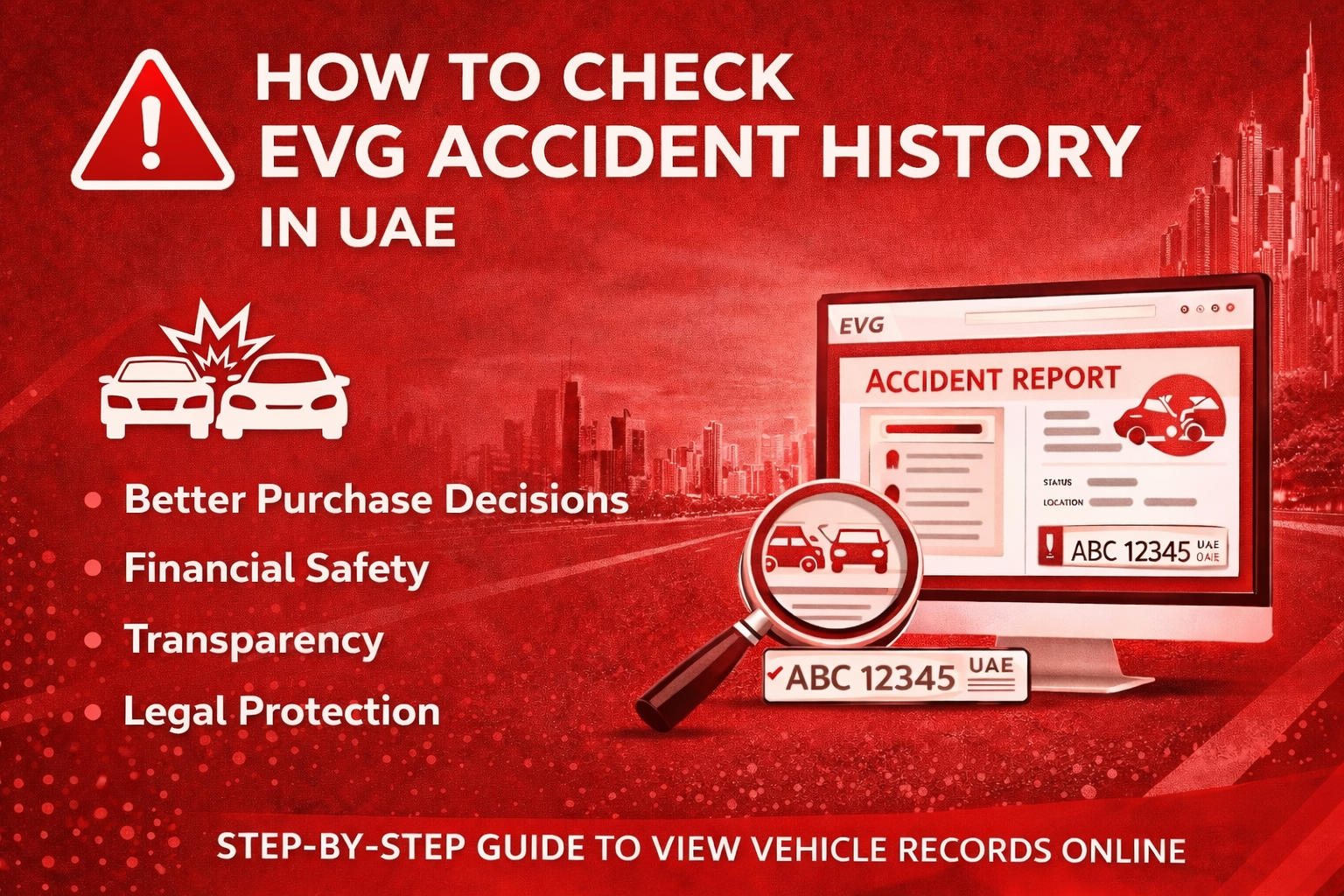
Better Purchase Decisions
You can avoid vehicles with a serious accident history that may have hidden damage. This helps you choose a safer and more reliable car for long-term use.
Financial Safety
Checking accident records helps you avoid unexpected repair costs in the future. It also protects you from spending money on vehicles with hidden issues.
Transparency
It ensures complete honesty during the buying or selling process. Both parties can make decisions based on accurate and verified information.
Legal Protection
Having access to official accident records helps prevent disputes and misunderstandings. It also provides proper documentation if any issue arises later.
Peace of Mind
Knowing the full history of a vehicle gives you confidence in your decision. It allows you to drive or buy without worrying about unknown risks.
Frequently Asked Question
2. Is EVG accident check free?
Most basic accident checks are free, but some detailed reports may have charges.
3. What is the most important detail required?
The chassis number (VIN) is the most accurate and commonly used detail.
4. Can I check accident history without login?
Yes, EVG allows quick search using the chassis number without logging in.
Conclusion
Understanding how to check EVG accident history is essential for anyone dealing with vehicles in the UAE. Whether you are buying, selling, or simply reviewing your car’s past, this process provides valuable insights that protect your time, money, and safety. With multiple online methods available, checking accident records has become quick and convenient. Always use accurate information and rely on official platforms for the best results. A few minutes of checking today can save you from major problems tomorrow.